VectorFlow is a node-based vector studio. Instead of drawing a shape, you describe how it gets made: start with a circle, then repeat it, rotate it, combine it, and keep going until you have something intricate.
What you've built is the recipe rather than the result, so changing one value near the top redraws everything below it. That's the whole appeal — artwork that would be tedious to draw by hand and trivial to change afterwards.
Updated October 2026 — a studio for Mac and iPad
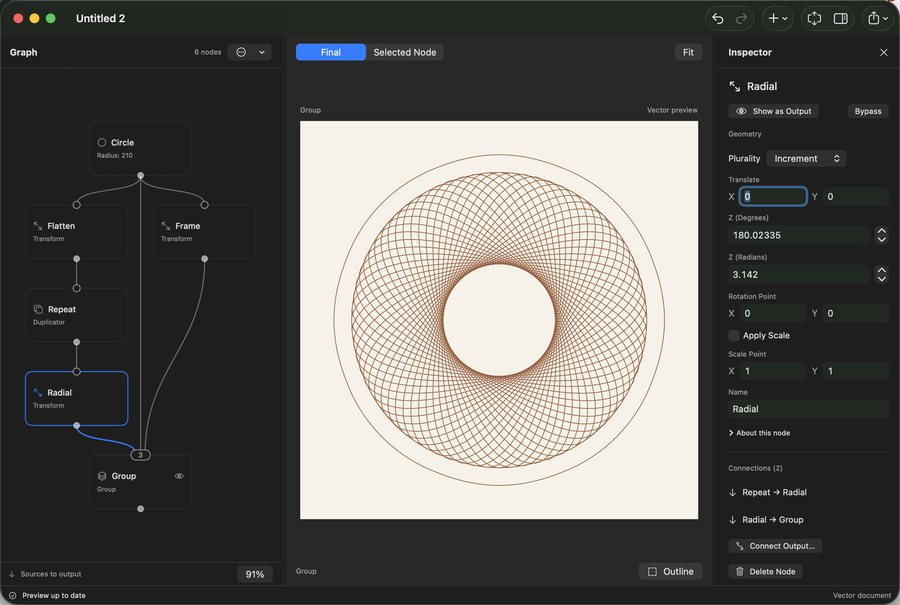
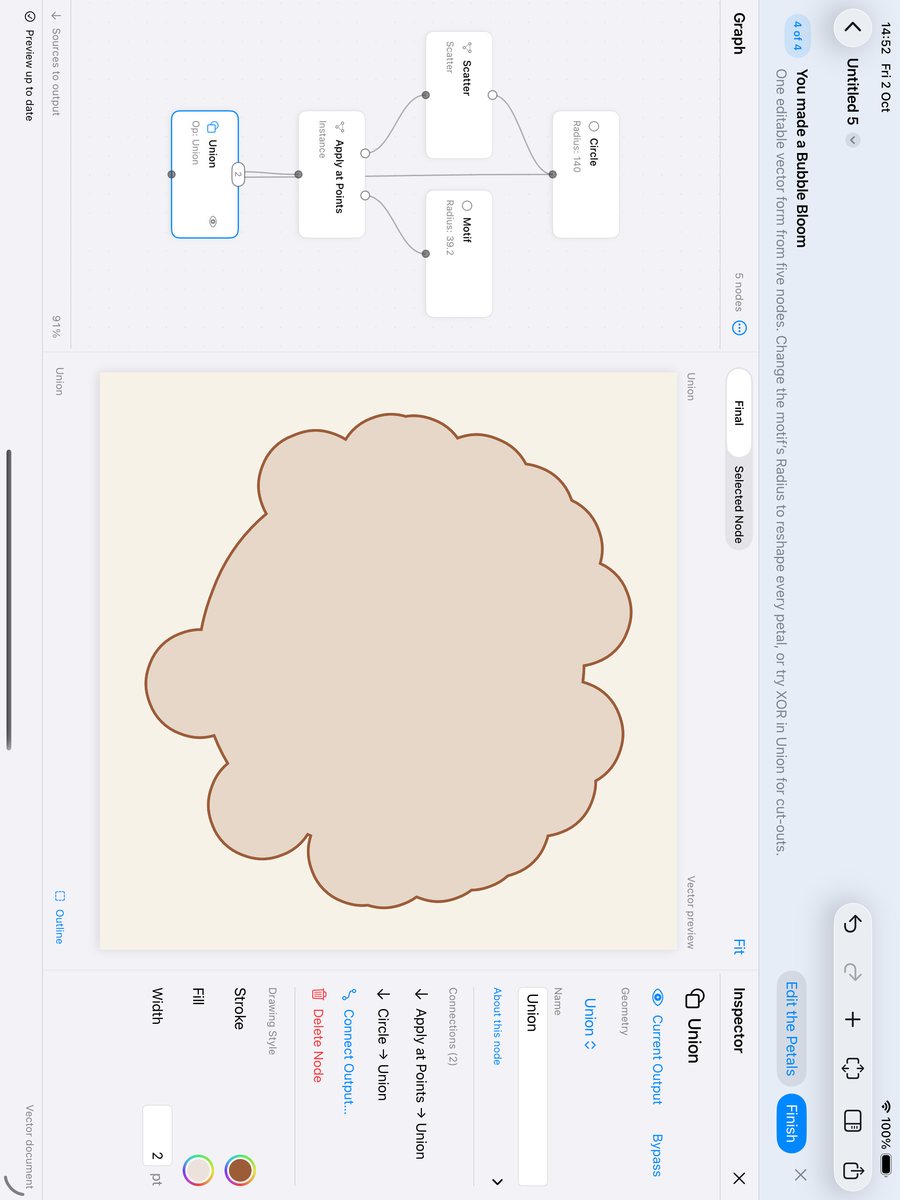
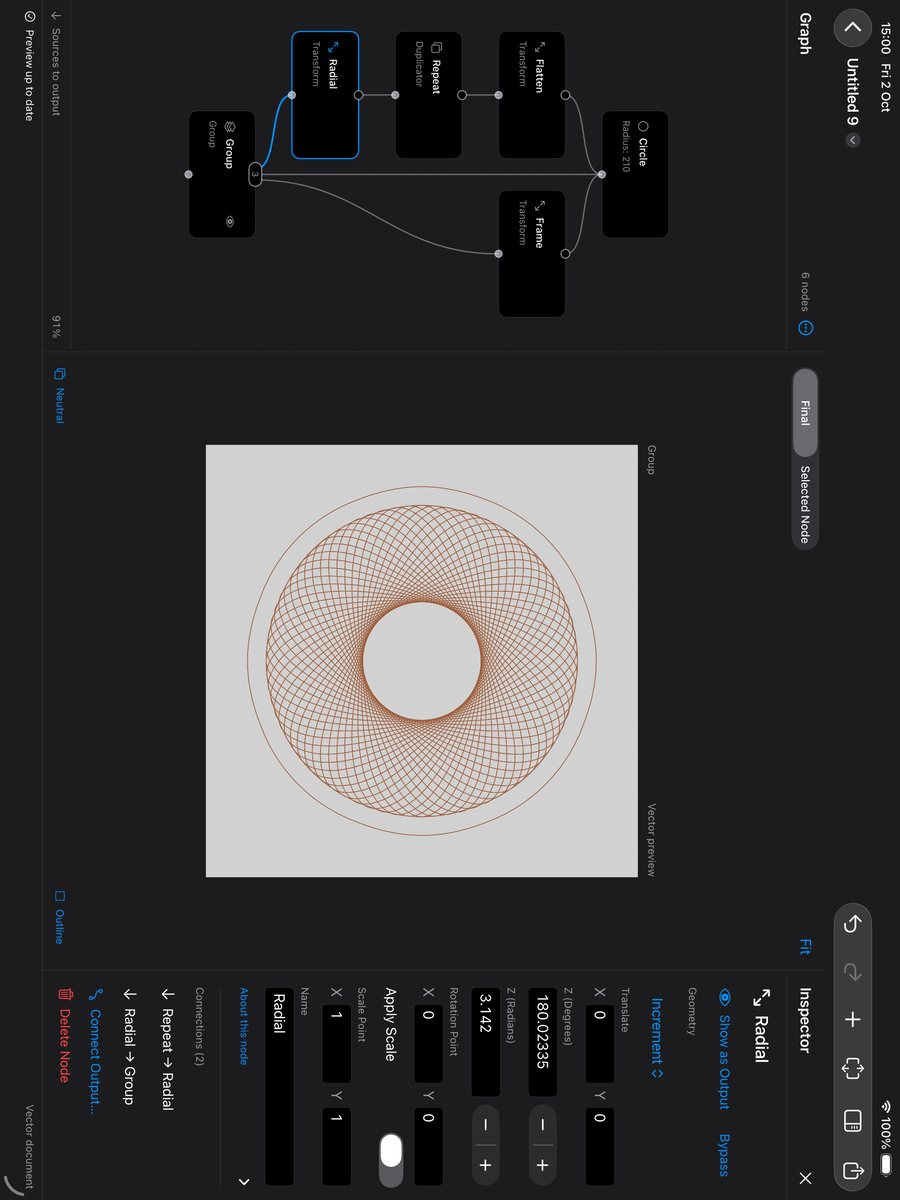
It's grown into a real app. There's a proper Studio workspace — graph, preview and inspector side by side — and it runs on iPad as well as the Mac, laying itself out differently for each rather than stretching one design across both.
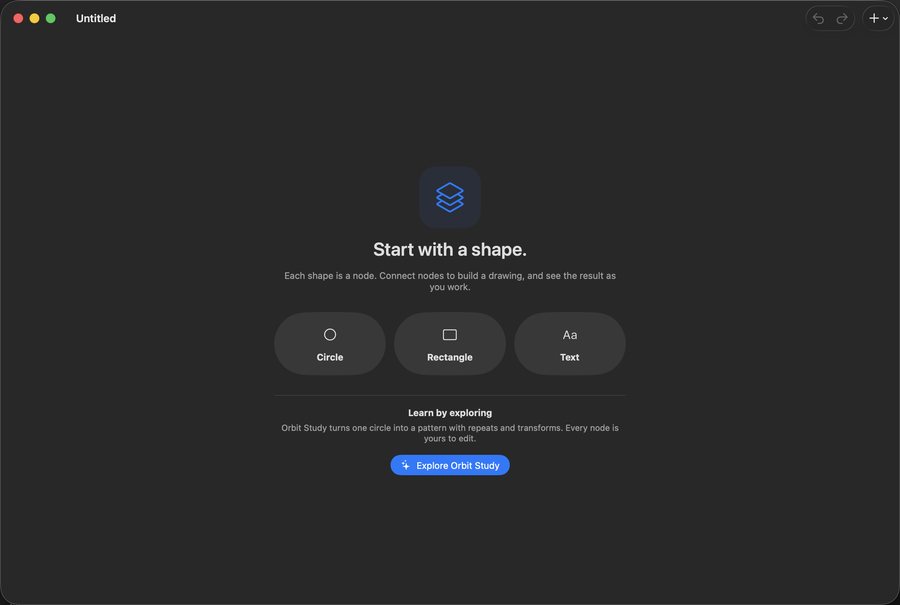
A lot of the recent work has been about the first ten minutes. An empty canvas and a blank graph are an intimidating pair, so a new document now offers you somewhere to start, and there's a guided walkthrough that takes a single circle through scattering, instancing and a Boolean union into a finished piece, with the real preview updating as you go.
The less visible work was making it responsive. Evaluating a graph can take a moment, and that used to happen inside SwiftUI's rendering pass, so the app would stall while it thought. Downstream evaluation now runs off that path with edits coalesced, and the last completed drawing stays on screen while the next one is worked out — so it keeps up with you instead of flickering.
There's a product site for it now too, at vectorflow.io.
Earlier — AppKit and Metal
It's one of those projects I keep going back to. I originally wrote it in AppKit with a Metal renderer, and later rebuilt it in SwiftUI. It's fair to say the SwiftUI rendering is much simpler than the Metal one — most of the complexity in the first version turned out to be me doing by hand what SwiftUI does for you.

.png)
.png)